
Attention: This Is What You've Been Looking For!
Create Beautiful Planners & Calendars in Minutes Using ChatGPT's New Image Model
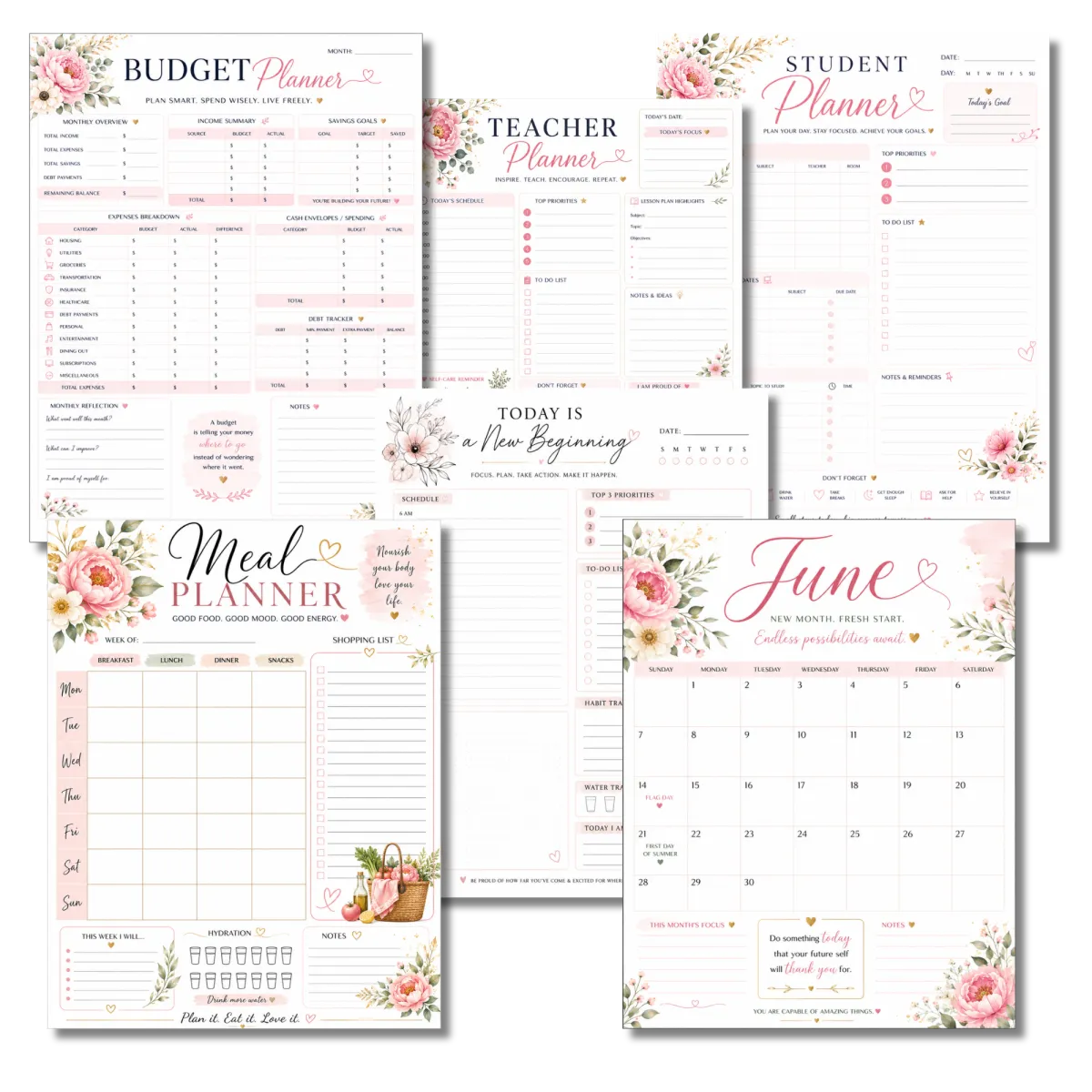
What if you could create stunning, professional-looking planners and calendars without spending hours designing them from scratch?
What if you could generate entire planner pages with crystal-clear text, beautiful layouts, and niche-specific designs in just a few clicks?
And what if you could turn those designs into digital products that sell over and over again?
That's exactly what you'll learn inside the AI Stationery Profit System.
This step-by-step training shows you how to use ChatGPT's powerful new image model to create gorgeous planners and calendars even if you've never designed a printable before.
CLICK THE BUTTON BELOW NOW TO GET INSTANT ACCESS
Today Special Discount - One Time Payment Of $27

Why This Opportunity
Is Exploding Right Now?
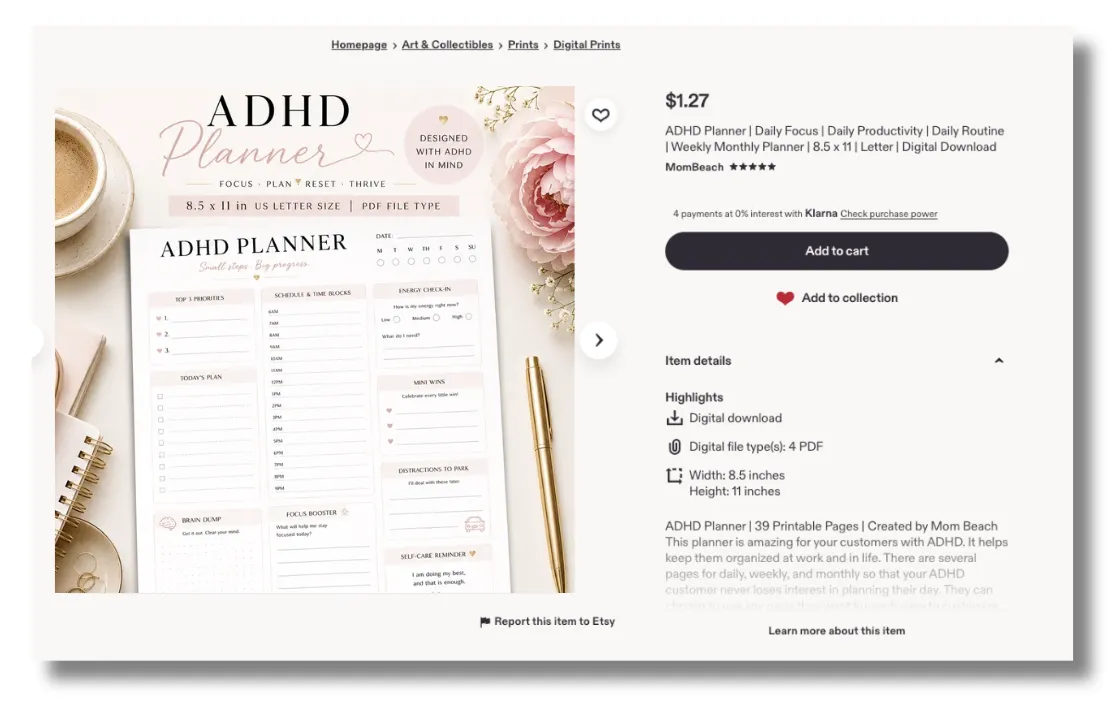
Planners and calendars continue to be among the most popular digital products
on marketplaces like Etsy.
People are constantly searching for:
Daily Planners
Budget Planners
Teacher Planners
Student Planners
ADHD Planners
Fitness Planners
Christian Planners
Content Creator Planners
Business Planners
Monthly Calendars
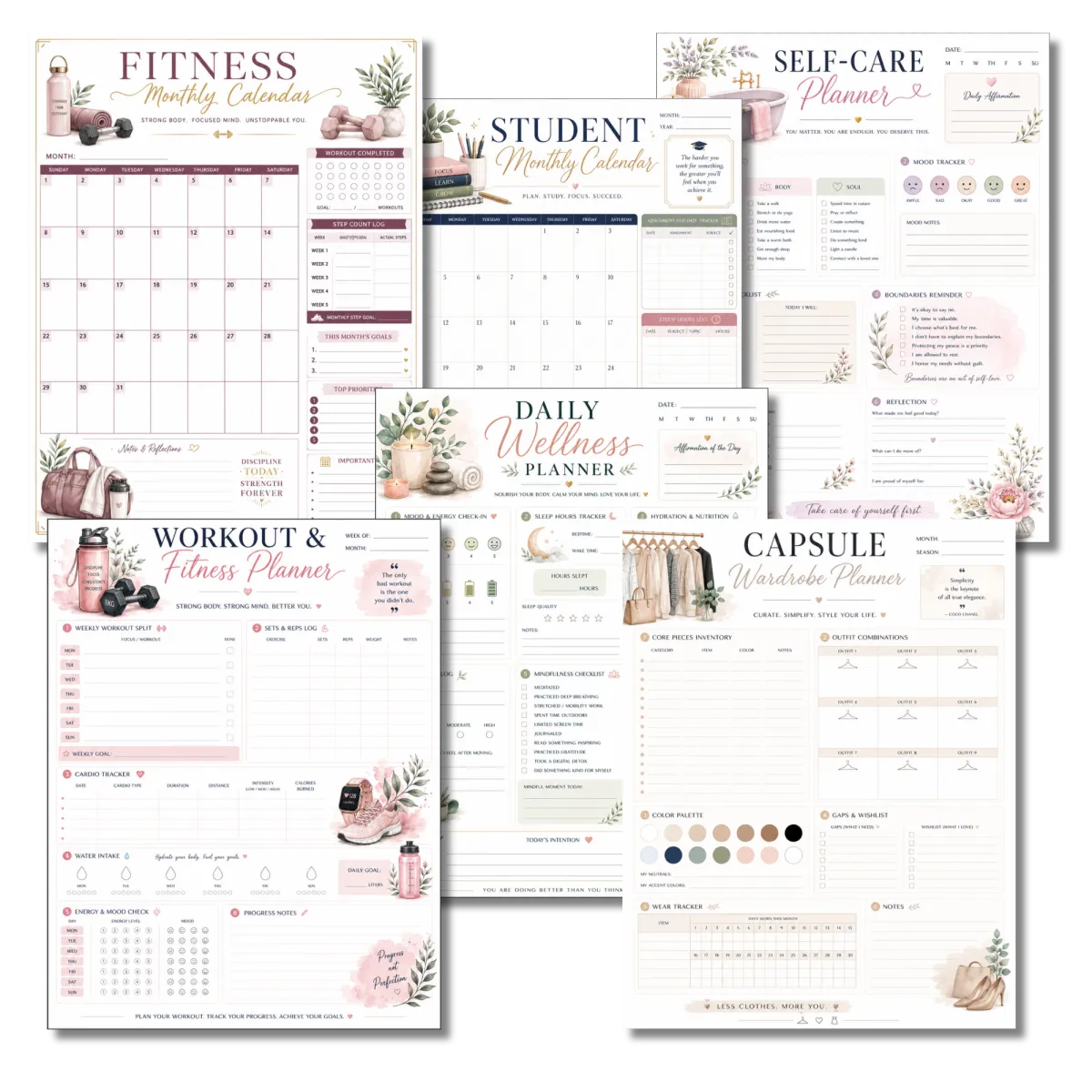
And dozens of other specialty niches.
Many successful Etsy sellers have built entire businesses around planner and calendar products,
with some generating thousands of dollars per month from simple printable products.
In my own Shopify store, shop.mombeach.com, planners, calendars, and other digital products
generate approximately $18,000–$20,000 per month.
The best part?
You don't need graphic design skills. You don't need expensive software.
And you don't need to spend weeks creating products.
The New ChatGPT Image Model Changes Everything
Let's see it in action! Watch the video!
Disclaimer: ChatGPT Images can take up to 1-2 minutes to fully load for you. The video has that part edited out for a shorter video. If you have unstable or super slow internet, please do not purchase this product, as ChatGPT images will have problems loading for you. Test to make sure ChatGPT images will load for you before purchasing.
For years, creating planners with AI was frustrating
because text often came out blurry, misspelled, or unusable.
Now that's changed. The newest image generation model inside ChatGPT can create planner pages with:
Sharp layouts
Clean formatting
Crystal-clear readable text
Professional planner designs
Beautiful calendars
Luxury stationery aesthetics
Instead of spending hours building pages manually,
you'll learn how to create professional-quality products faster than ever.
Introducing

No Design Skills. No Expensive Tools. Just Follow the System & Profit.
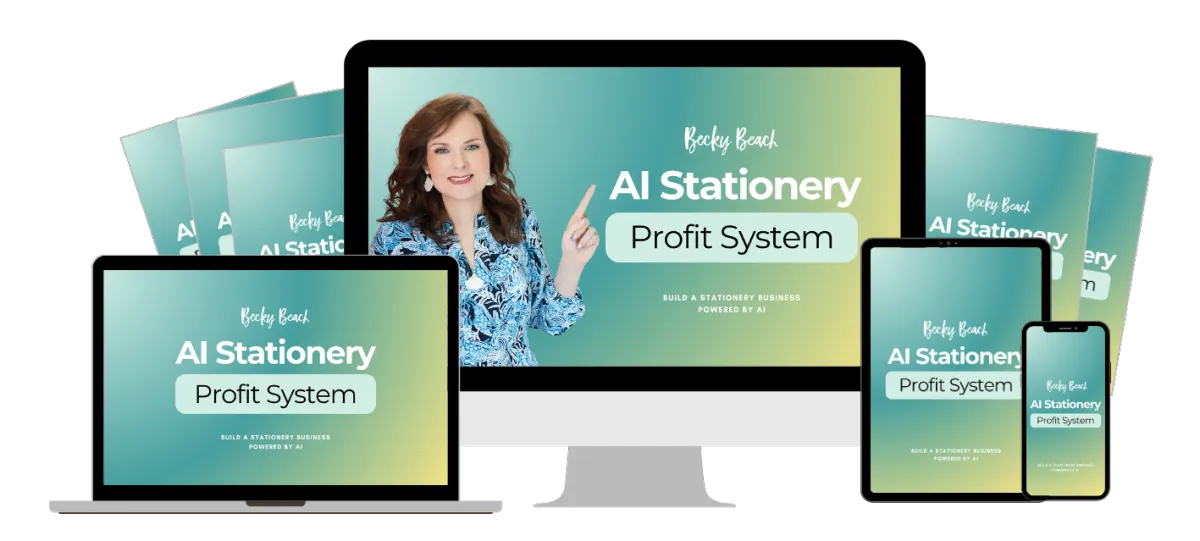
Your customers will discover how to build a thriving stationery business
using AI in any niche without design experience.
Opportunities Like This Don't Come Around Often
Inside AI Stationery Profit System
We’ve stripped away the fluff and the technical jargon. You’re getting a streamlined,
battle-tested system to make it into a profit-generating asset.
Module #1
Finding Profitable Planner Niches
Learn how to identify planner and calendar niches buyers are actively searching for.
You'll discover:
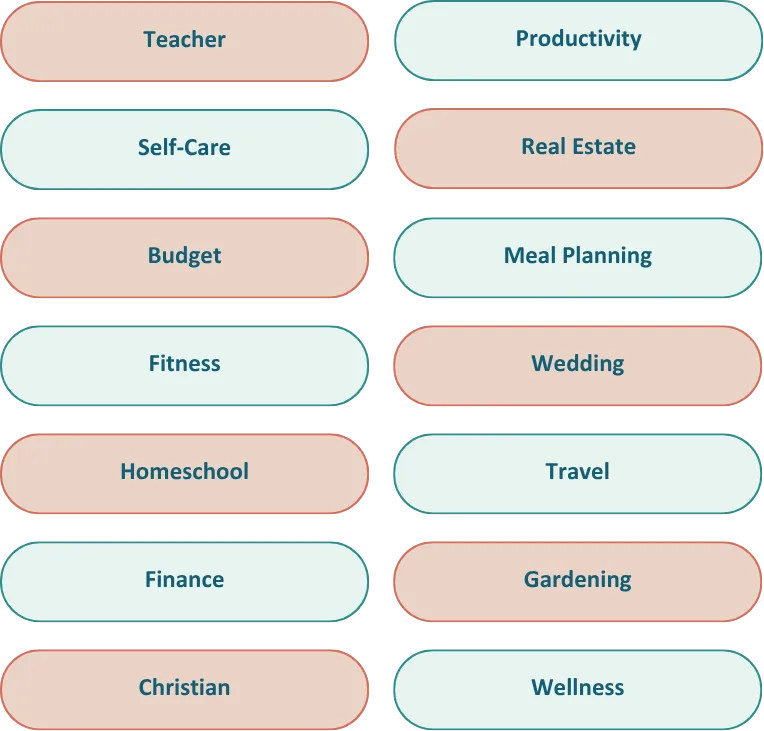
High-demand planner categories
Evergreen niches
Seasonal opportunities
How to find ideas that sell
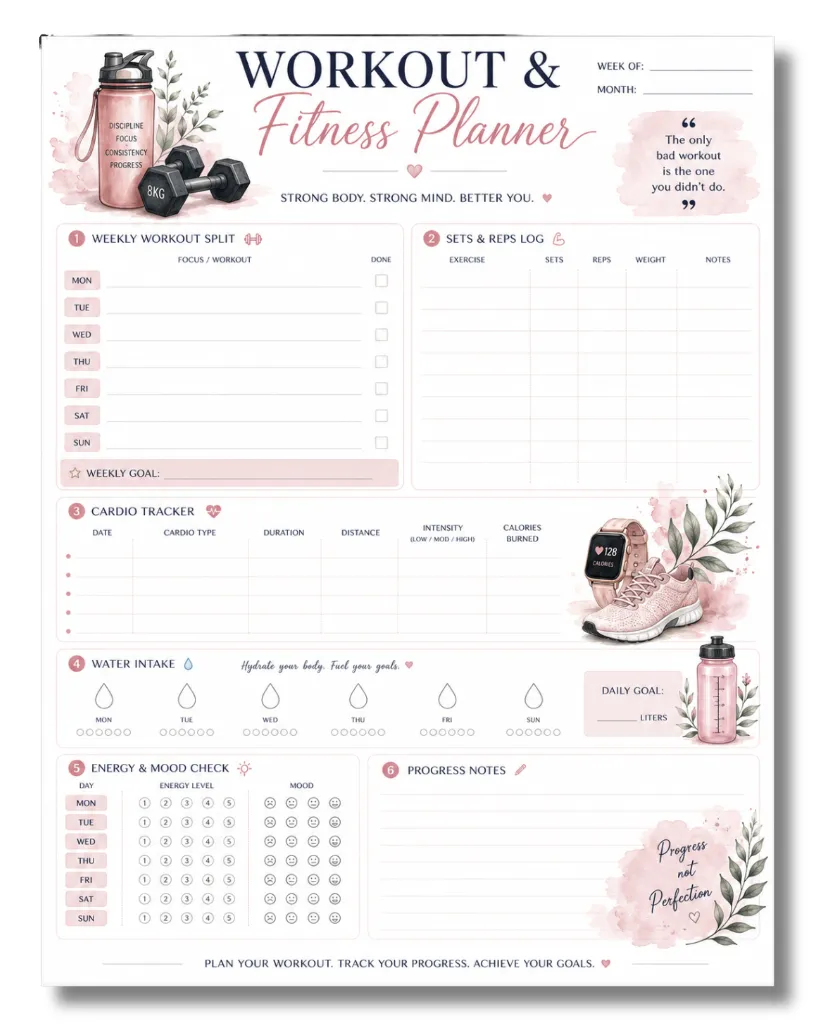
Module #2
Creating Planners
with ChatGPT
I'll walk you through the exact process I use to create planners using ChatGPT.
You'll learn:
Daily planners
Weekly planners
Monthly planners
Goal planners
Budget planners
Niche planners
Calendar pages
Matching stationery products
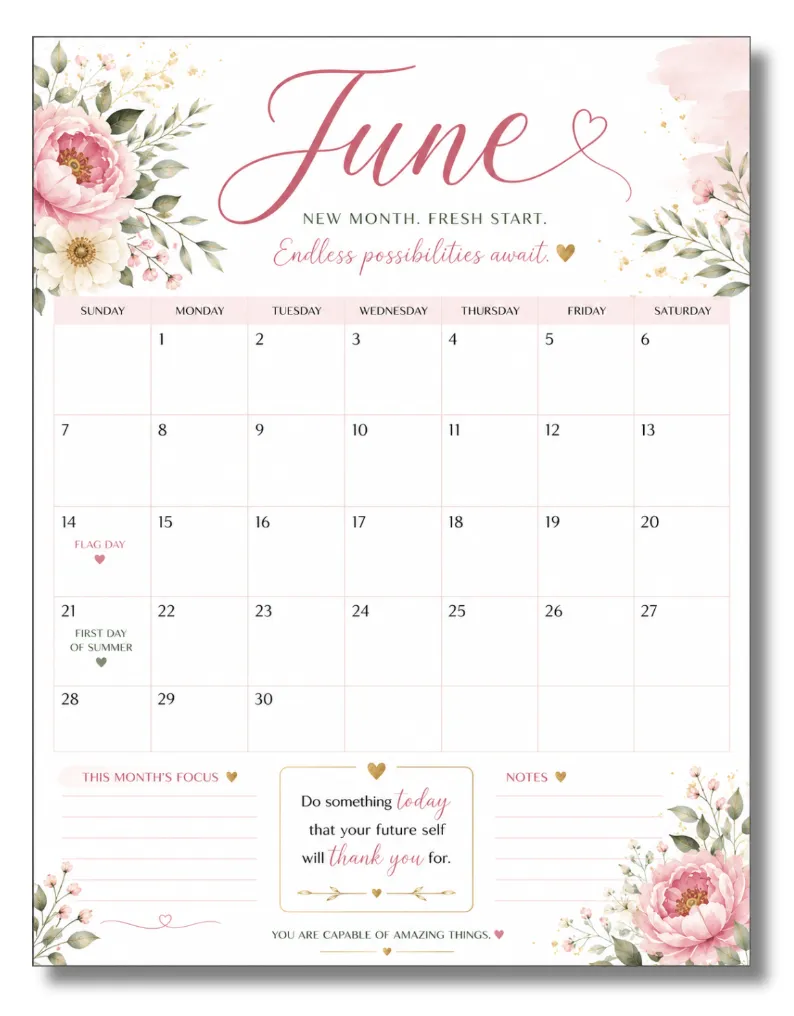
Module #3
Creating High-Converting Calendars with ChatGPT
Discover how to create beautiful calendar products buyers love.
You'll learn:
Monthly calendars
Content calendars
Business calendars
Family calendars
Specialty niche calendars
Matching calendar collections
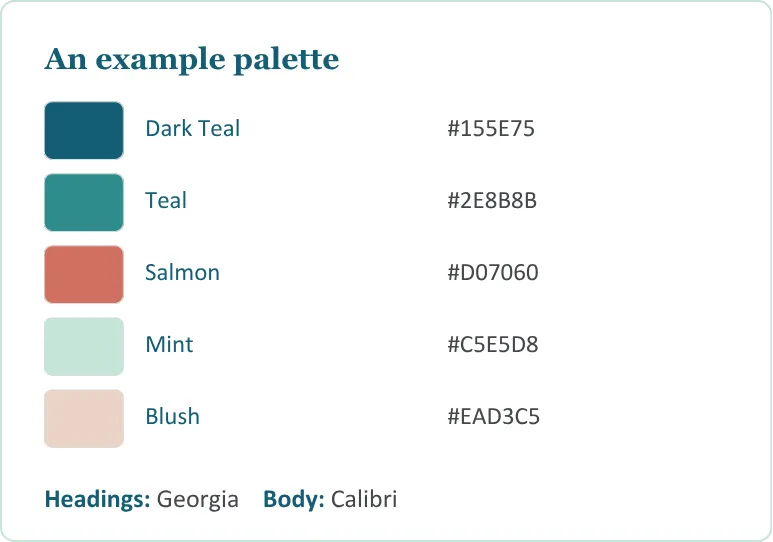
Module #4
Branding and Editing Your Designs in Canva
Need to customize text? No problem.
You'll learn how to use Canva to easily edit planner text, titles, colors, and layouts.
Please note: Canva Pro is required for some of the editing features demonstrated.
If you don't have Canva Pro, I'll also show you how to use another app in Canva, a free alternative that allows you to make edits without a paid subscription.
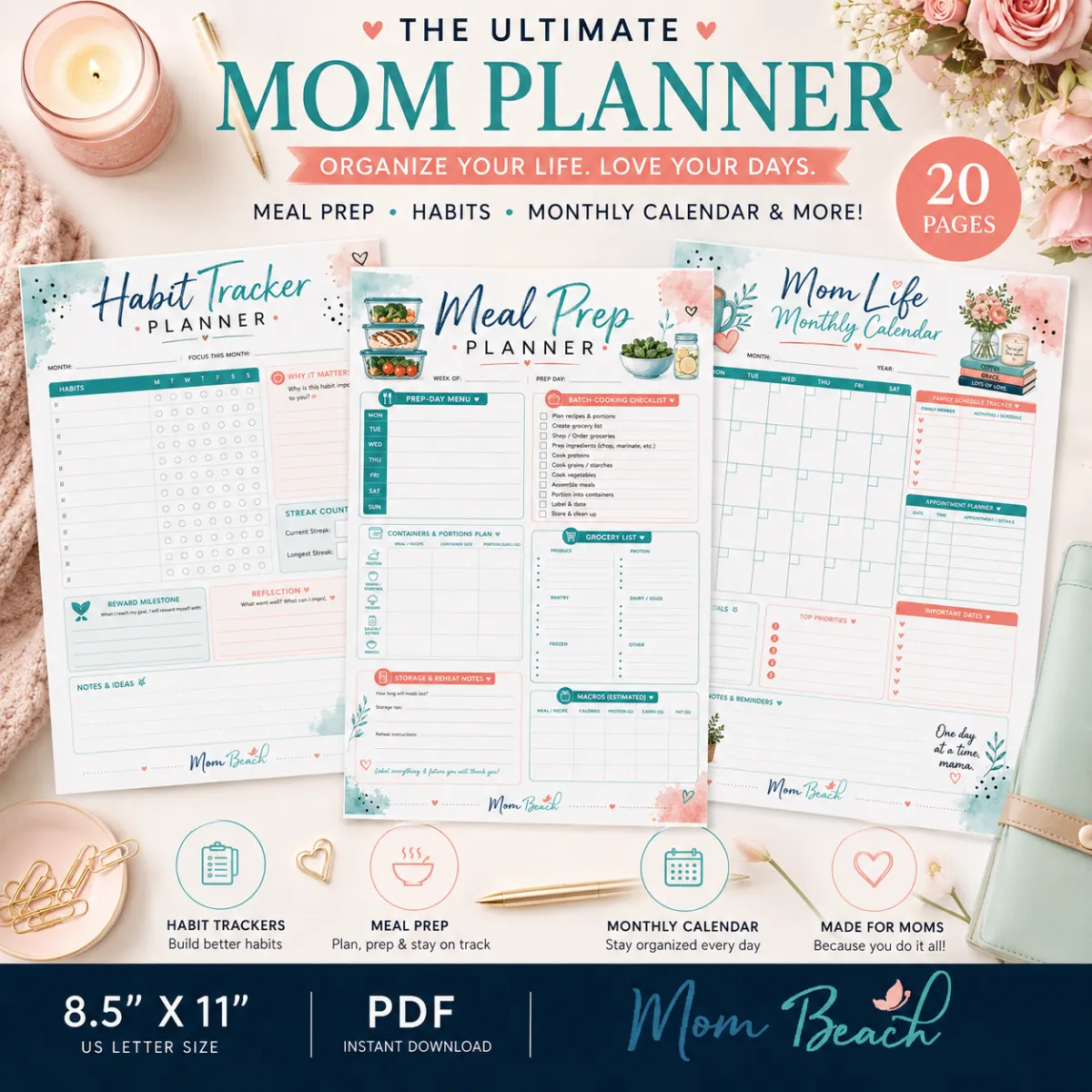
Module #5
Make Mockups in ChatGPT
Learn how to make gorgeous mockups in ChatGPT with your cohesive and branded planner pages.
You'll discover:
What to prompt
Cohesive images
Branding
High-converting mockup text
Eye-catching mockups
Gorgeous layouts
Module #6
Product Packaging
& Selling on Etsy
Learn how to prepare your products for sale and build collections buyers love.
You'll discover:
Pricing
Keyword Research
Tags
Searchable Store Listing
High-converting Copy
MORE!
These Are Exclusive Bonuses You Cannot Find Anywhere
Grab This Exclusive Bonuses
We Want To Sweeten The Deal And This Offer Game Changer For You Today
Bonus #1
Included with your purchase is the exclusive:
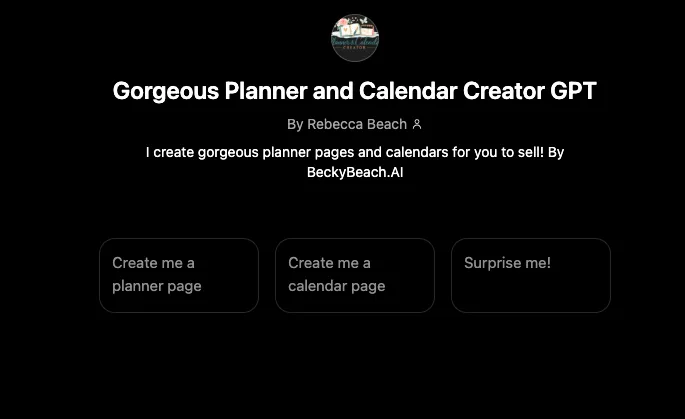
Gorgeous Planner & Calendar Creator GPT
This custom GPT helps you instantly generate detailed planner and calendar page images inside ChatGPT.
Simply tell it:
Colors
Fonts
Titles
Decorative Elements
Planner Style
Logo
And it generates detailed images for you automatically.
Bonus #2
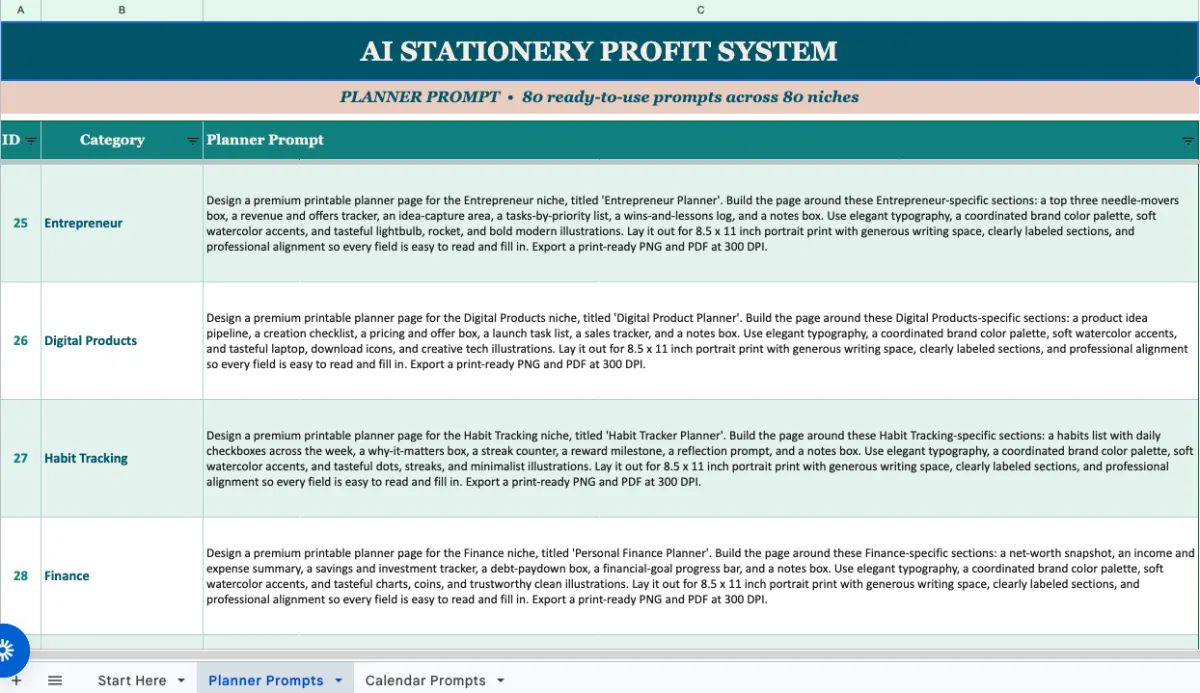
160 Planner
& Calendar Prompts
You'll also receive, 160 Ready-to-Use Planner & Calendar Prompts Covering more than 80 profitable niches including:
Teachers
Students
Moms
Entrepreneurs
Fitness
Budgeting
Christian
ADHD
Travel
Content Creators
Real Estate
Self-Care
Productivity
And many more
Simply copy, paste, and create.
Bonus #3
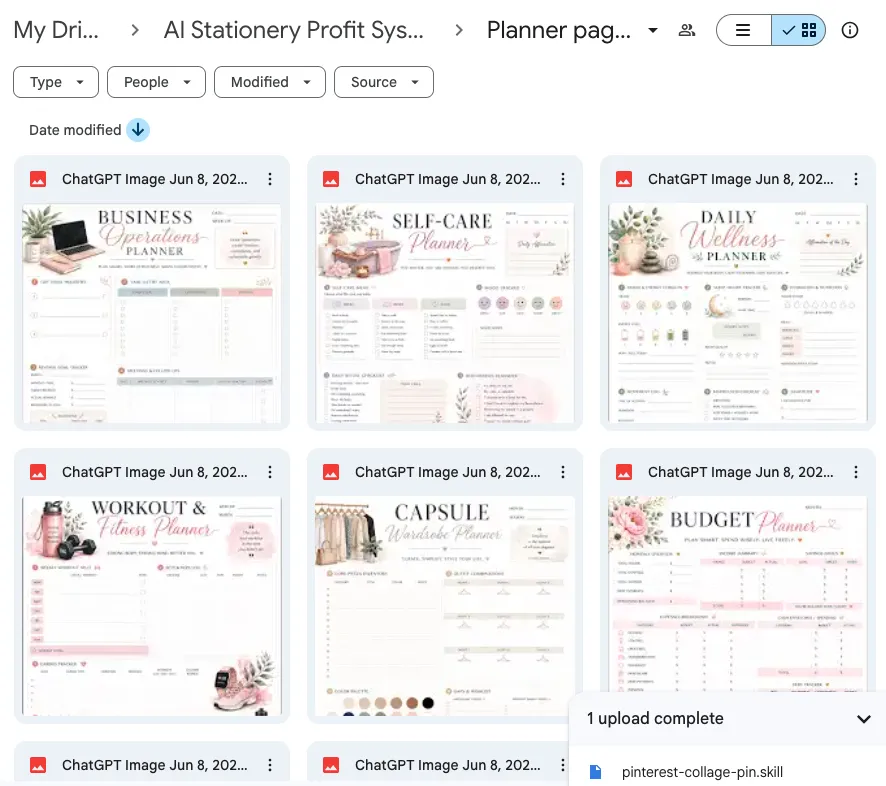
DFY Planner Pages
You'll also receive, DFY Planner Pages in a variety of niches:
Business
Self-care
Wellness
Fitness
Capsule Wardrobe
Student
Schedule
Teacher
Meal Planning
Daily Planning
Budgeting
MORE
You get MRR (Master Resale Rights, can be sold as PLR)
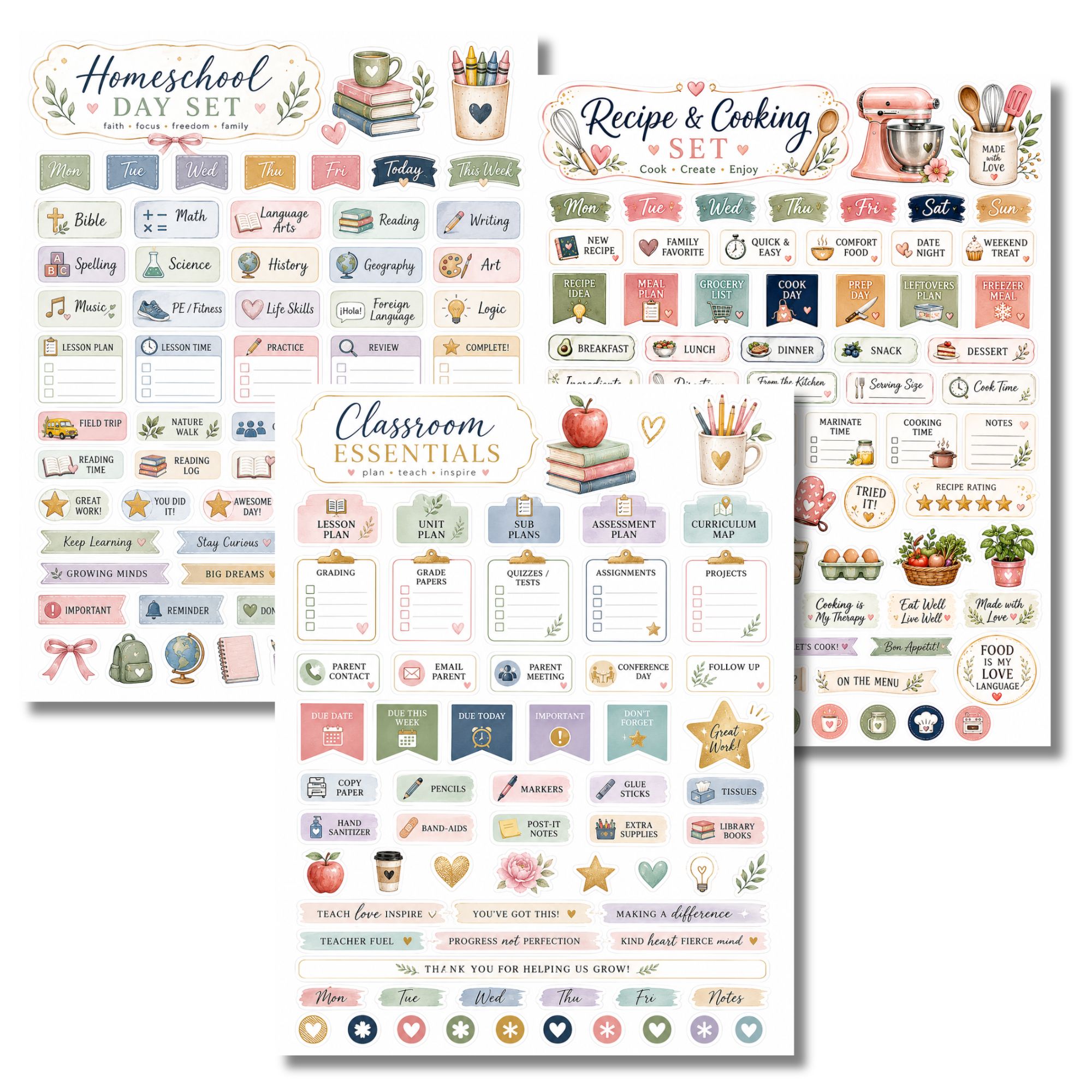
Bonus #4
80 Planner Sticker Pages Prompt Pack
You'll also receive, Planner Sticker Pages Prompts with kiss-cut style in a variety of niches:
Homeschool
CEO/Business
Content Creator
Etsy Seller
Digital Products
Teacher
Student
Self-Care
Mom Life
Fitness
Christian
MORE
Your customers can print them out on sticker paper and cut them out for use.
Here's Everything That You Will Get
This is one of the most valuable offers you will get today
Here's What's Included In This Offer
Module 1: Finding Profitable Planner Niches
Module 2: Creating Planners with ChatGPT
Module 3: Creating High-Converting Calendars with ChatGPT
Module 4: Branding Editing Your Designs in Canva
Module 5: Mockups
Module 6: How to sell on Etsy
BONUS: Gorgeous Planner & Calendar Creator GPT
BONUS: 160 Planner & Calendar Prompts
BONUS: DFY Planner Pages with MRR
BONUS: 80 Planner Sticker Prompts
Total Value Of Everything = $1,543
CLICK THE BUTTON BELOW NOW TO GET INSTANT ACCES
Today Special Discount - One Time Payment Of $27
Imagine This...
Imagine opening your laptop on a Tuesday morning.
You generate a planner. You customize the title. You upload it to your shop.
A few days later, someone buys it. Then someone else.
Then another.
Now imagine having dozens or even hundreds of planner and calendar products working for you around the clock.
That's the power of digital products.
One creation.
Unlimited sales potential.
The Clock Is Ticking on This Special Offer
Don't Get Left Behind, Click Below to Automate Your Profits for Just $27
This is a limited-time "Ground Floor" price. Once the crowd catches on,
the cost will go up. Secure your spot now!
CLICK THE BUTTON BELOW NOW TO GET INSTANT ACCES
Today Special Discount - One Time Payment Of $27
To your success,
Becky Beach
MIT-Certified AI for Business Strategist and Coach
Becky has been featured in:

Frequently Asked Questions
Do I need design experience?
No.
Everything is taught step-by-step.
If you can copy, paste, and follow instructions, you can create planners and calendars.
Do I need Canva?
No.
Canva is recommended because it's easy to use.
However, you can also edit files using Photopea for free.
Do I need Canva Pro?
Some of the editing techniques demonstrated use Canva Pro features. If you don't have Pro, you can use Canva Magic Layers.
Is ChatGPT required?
Yes.
The system teaches you how to use ChatGPT's image generation capabilities to create planner and calendar products.
Can I sell the products I create?
You should review the current terms of use for the tools you use and follow all marketplace policies before selling any products.
Is this for newbies?
Yes. Newbies and all levels of AI users would be great for this step-by-step video training, GPT, and prompt pack.
Is this for those with super slow or unstable internet?
No. If you have unstable or super slow internet, then please do not purchase. ChatGPT images will not load for you very fast and you could have problems loading them. This goes for all images made with ChatGPT.
Is this for freebie ChatGPT accounts?
Yes. Both free and paid accounts can use this. Please watch the Loom video here to see the speed for paid VS free accounts.
How quickly can I create products?
Many planner pages and calendars can be created in minutes once you understand the process.
Is this only for Etsy sellers?
No.
You can use these methods for Etsy, Shopify, your own website, digital marketplaces, memberships, bundles, and more.
What types of products can I create?
Examples include:
✔ Planners
✔ Calendars
✔ Trackers
✔ Logs
✔ Note Pages
✔ To-Do Lists
✔ Bucket Lists
✔ Sticker Sheets
✔ Journals
✔ Printable Collections
Will this work in my niche?
The included prompt vault covers more than 80 niches, and you'll learn how to create unlimited niche variations of your own.
How do I get started?
Simply enroll, watch the training, activate the Gorgeous Planner & Calendar Creator GPT, and begin creating your first products today.
What is the refund policy?
Due to the digital nature of this course, MRR sellable DFY planner pages, GPT, prompt pack, and instant access to the content that can't be returned, no refunds will be given. However, your satisfaction is important to me. I'm here to help you by email at [email protected] should you have any questions or concerns.
Copyright © 2026 Mom Beach LLC. All Rights Reserved.
Privacy Policy | Terms of Use | Disclaimer
Disclaimer: This course is not affiliated in any way with OpenAI, Anthropic, or Google.